bd999 App –
Cricket, Casino
On Your Phone
Get the official bd999 app on your Android phone and bet on Bangladesh Cricket, play live casino games, and cash out to bKash or Nagad in minutes. Free to install, no account needed to browse.
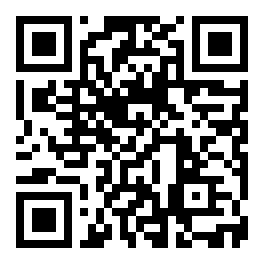
Scan to download on your Android phone.
Or share this link with a friend: bd999.team/bd999-app/
Betting
Casino
App Version & System Requirements
The bd999 app runs on any mid-range Android phone made after 2018. Check the table below before downloading to make sure your device is compatible.
| Specification | Details |
|---|---|
| App Version | 2.2.4 Latest |
| File Name | bd999.apk |
| File Size | 32 MB — fits comfortably on any phone with 1 GB+ free storage |
| Minimum Android | Android 7.0 (Nougat) or higher — covers all phones from 2017 onward |
| Last Updated | 9 November 2026 |
| Price | Free — no subscription, no hidden charge |
| Languages | English & Bangla |
| iOS Support | No native app — use Safari "Add to Home Screen" (see guide below) |
| Internet Required | Yes — mobile data (4G/5G) or Wi-Fi |
| Payments Inside App | bKash, Nagad, Rocket, Upay, Bank Transfer |
The app auto-updates when you open it while connected to the internet. You can also re-download the latest APK from this page at any time.
Security & What the App Accesses
The bd999 app is built and signed by the official team. Here is exactly what it does and does not access on your device.
SSL Encrypted Traffic
Every connection between your phone and bd999 servers uses TLS 1.3 encryption. Your login details, deposit amounts, and account information travel through an encrypted channel — the same standard used by Bangladesh banks. No third party can intercept your session data.
No Camera or Microphone Access
The app does not request access to your camera, microphone, contacts, call logs, or SMS messages. The only device permission requested is internet access. You will see a single "Allow internet access" prompt on first launch — no other permission dialogs appear during normal use.
Biometric Login Option
On Android 9.0 and above, the app supports fingerprint or face unlock to log in after your first session. Your biometric data is handled entirely by Android's secure hardware — bd999 never stores or transmits it. You can disable biometric login from your Account Settings at any time.
Official APK Only
Always download bd999.apk from this page (bd999.team/bd999-app/) or through the QR code above. Third-party download sites and WhatsApp-shared APK files may contain modified versions that steal account credentials. If someone sends you an APK link by message, ignore it and come back here.
Install the bd999 APK on Android
Follow these five steps. The whole process takes under two minutes. If you hit a problem, see the troubleshooting table further down.
-
1
Allow Installation from Unknown Sources
Open your phone's Settings → Security (or on newer Androids: Settings → Apps → Special App Access → Install Unknown Apps). Find your browser (Chrome or Samsung Internet) and toggle Allow from this source to ON. This one-time setting lets Android install apps downloaded outside the Play Store. You can turn it off again after installation.
-
2
Download bd999.apk
Tap the Download APK button on this page. Your browser will save the file bd999.apk (32 MB) to your Downloads folder. Make sure you have a stable connection — mobile data works fine, but Wi-Fi avoids any data charges. The download normally finishes in under 30 seconds on a 4G connection.
-
3
Open the Downloaded File
Pull down your notification shade and tap the completed download notification, or open your Files app and navigate to the Downloads folder. Tap bd999.apk. Android will show a confirmation screen listing the app name and the single internet permission it requires. Tap Install to continue.
-
4
Wait for Installation to Complete
The install takes 5–15 seconds. You will see a progress bar at the bottom of the screen. Once the screen reads App Installed, tap Open to launch the app immediately, or Done to find it later on your home screen or app drawer. The bd999 icon — a red and gold shield — will appear in your app list.
-
5
Log In or Register Your Account
The app opens to the home screen. Tap Login if you already have a bd999 account and enter your mobile number and password. New players tap Register, fill in your mobile number, set a password, and verify via OTP. Your account works on both the app and the website — no separate registration needed. Minimum first deposit is ৳200 via bKash or Nagad.
iPhone Users: Add bd999 to Your Home Screen
There is no App Store version of bd999. iPhone and iPad users can pin the website to the home screen as a Progressive Web App — it opens full-screen, just like a native app.
Open in Safari
Go to bd999.team in Safari (not Chrome or Firefox — only Safari supports PWA installation on iOS). Make sure you are on the homepage or any game page.
Tap the Share Icon
Tap the square-with-arrow Share button at the bottom of the Safari toolbar. Scroll through the action list until you find Add to Home Screen and tap it.
Confirm the Name and Add
Safari will show a name field — leave it as bd999 or rename it. Tap Add in the top-right corner. The bd999 icon now appears on your home screen and opens the site in full-screen mode.
App vs Browser: Feature by Feature
Both the app and the browser version give you full access to games and payments. The app adds a few extras that matter on a phone.
| Feature | bd999 App (Android) | bd999 Website (Browser) |
|---|---|---|
| Full game library access | ||
| bKash / Nagad deposit | ||
| Push notifications (live scores, offers) | ||
| Biometric (fingerprint) login | ||
| One-tap deposit shortcut | ||
| Live cricket score widget on home screen | ||
| Works without re-logging in each visit | Depends on browser settings | |
| No ads or redirects | ||
| iOS support | (Android only) | (all browsers) |
| 24/7 Live Chat access | ||
| Withdrawal to bKash (within 30 min) |
Withdrawals in the app follow the same rules: minimum ৳400, maximum ৳60,000 per day, processed within 30 minutes. See the full Withdrawal & KYC Guide for details.
Everything Inside the bd999 App
The app is not a stripped-down version — it carries the same full game library available on the website, plus sports betting and local payment tools.
Cricket Betting
Bet on BPL, IPL, T20 internationals, and ODIs featuring Bangladesh. The app shows live ball-by-ball scores alongside the odds so you can place in-play bets without switching tabs. Markets include Match Winner, Top Batter, and Next Wicket. Minimum bet: ৳10.
Live Casino
Join real-money tables hosted by Ezugi and Evolution — both stream in HD at under 200ms latency even on 4G. Choose from Baccarat, Roulette, Dragon Tiger, and Andar Bahar. The dealer speaks English and Bangla during dedicated tables scheduled in the evening hours (6 PM–2 AM BDT).
Slots & Crash Games
Browse titles from Pragmatic Play, PG Soft, Red Tiger, KA Gaming, and Playtech — over 5,700 slots in total. Popular picks include Fortune Dragon (RTP 96.7%), Insect Master (RTP 97.4%), and Mines (RTP 96.8%). Crash games like Aviator and JetX load in under three seconds on a 4G connection.
Fishing Games
Shooting-style fishing games are popular in Bangladesh and the app carries three main titles: Shade Dragon Fishing by Ezugi (RTP 95.8%), All-Star Fishing by Playtech (RTP 97.5%), and God of Fish Slicing by Evolution (RTP 95.3%). Bets start from as low as ৳2 per shot.
Instant bKash Deposits
The app includes a one-tap deposit shortcut that launches the bKash or Nagad payment screen directly. Minimum deposit is ৳200 and funds appear in your account within 3 minutes on average. Rocket and Upay are also supported. No extra fee is charged on deposits made through the app.
Live Score Notifications
Enable push notifications and the app sends you an alert when a Bangladesh match starts, when there is a wicket in a match you have bet on, and when your withdrawal is approved. You can choose which alerts you receive from Settings → Notifications. Notifications work even when the app is closed.
Featured Games in the App


Fix Common Install Problems
Most install failures are caused by one of five things. Find your error below and follow the fix.
| Problem | Likely Cause | How to Fix It |
|---|---|---|
| "Install blocked" | Unknown sources permission is not enabled for your browser app | Go to Settings → Apps → Special App Access → Install Unknown Apps, find Chrome or Samsung Internet, and turn the toggle ON. Then tap the APK file again. |
| "Parse error" or "App not installed" | The APK download was interrupted or the file is corrupt | Delete the existing bd999.apk from your Downloads folder, reconnect to a stable Wi-Fi network, and download it again from this page. Do not use download managers or VPNs — they can corrupt the file mid-transfer. |
| App installs but crashes on launch | Device runs Android 6 or below, which is not supported | Check your Android version under Settings → About Phone → Software Information. The bd999 app requires Android 7.0 minimum. If your phone is older, use the mobile website at bd999.team in Chrome instead. |
| Download link does not work | Browser is blocking the APK download as a security warning | Tap Keep or Download Anyway on the warning popup — this is a standard Android message for all APK files, not a sign the file is harmful. If the button is missing, try the download in Samsung Internet instead of Chrome. |
| App installed but login fails | Wrong mobile number format or account not yet verified | Enter your number without the country prefix — just start with 01 (for example: 01712345678). If you registered on the website, use the same mobile number. Forgotten passwords can be reset via the Login page using your registered number and OTP. |
Still stuck? Open the 24/7 Live Chat from the bd999 login page and paste a screenshot of the error — the support team usually responds within 2 minutes.
Questions About the bd999 App
These are the questions players ask most often before and after downloading the bd999 app.
Is the bd999 APK safe to install on my phone?
Why is the bd999 app not on the Google Play Store?
How do I update the bd999 app when a new version is released?
The app installed but shows a white or blank screen — what should I do?
Can I use the same account on both the app and the website?
Does the app work on a tablet or low-end Android phone?
How do I deposit and withdraw money through the bd999 app?
Need Help Installing?
Our support team is online around the clock. Share a screenshot of your error and get a step-by-step fix — usually within 2 minutes.
Open Live ChatAlso On bd999
18+ · Play Responsibly. The bd999 app is for adults aged 18 and above only. Gambling can be addictive. Set a deposit limit in Account Settings → Responsible Gaming before you start playing. If you need support, visit our Responsible Gaming page.